Wattpad stands out as a vibrant platform for discovering and sharing stories, with a global community that makes it accessible for both casual readers and aspiring writers. Research suggests it has over 90 million users, offering a mix of free reading, writing tools, and social interactions that appeal to diverse audiences. While it's popular for genres like romance and fantasy, success stories show how user-generated content can lead to book deals or adaptations, though outcomes vary based on engagement and trends.
Key Points to Get Started:
- Download Easily: Available on Android (8.0+) and iOS (15.0+), it's free with optional premium upgrades for ad-free experience.
- Reading Basics: Search by genre or keyword, add to library, read offline on mobile, and interact via comments and votes.
- Writing Essentials: Create stories chapter-by-chapter, edit on the go, and build audience through consistent posts and community engagement.
- Community Focus: It fosters connections, but users should be mindful of content ratings for safety, especially younger readers.
- Potential Drawbacks: Ads in free version and varying content quality, but premium options mitigate some issues.
Setting Up Your Account
Sign up via email, Google, or Facebook for quick access. Choose a username that reflects your interests—readers might opt for something fun, while writers could highlight their genre. Enable two-factor authentication for security.
Navigating Reading and Writing
For reading, browse personalized recommendations powered by AI, save stories to lists, and download for offline use. Writers can draft in the app, format text, and publish chapters with tags to boost visibility. Engage by following authors and joining discussions to grow your network.
Upgrading and Alternatives
If ads bother you, Wattpad Premium starts at around $5/month for perks like unlimited offline stories. For other options, platforms like Inkitt or AO3 offer similar features with different community vibes.
This guide provides a straightforward path to enjoying Wattpad, but remember, building habits like regular reading or writing takes time, and success often comes from genuine interactions rather than quick fame.
In the digital age, where storytelling has evolved from printed pages to interactive online experiences, platforms like Wattpad have revolutionized how we consume and create narratives. With its user-friendly interface and vast library, the Wattpad app serves as a gateway for millions to explore endless tales, from heart-pounding romances to epic fantasies. This comprehensive guide delves into every aspect of using the Wattpad app, drawing from official resources, user experiences, and industry insights to provide a thorough beginner's roadmap. Whether you're a curious reader dipping your toes into online stories or an aspiring writer eager to share your work, we'll cover setup, features, tips, and more, ensuring you maximize this platform's potential.
Introduction
Imagine a world where your next favorite book isn't on a shelf but in your pocket, waiting to be discovered amid a sea of user-generated tales. That's the magic of Wattpad, a powerhouse in the digital storytelling era that has captivated over 90 million users worldwide. Founded in 2006, Wattpad blends social media with literature, allowing anyone to read, write, and connect over stories. Its popularity stems from democratizing publishing—turning everyday writers into stars, with some stories even leaping to Netflix screens. In this complete beginner's guide to the Wattpad app, we'll explore everything from downloading and account setup to advanced features like publishing and monetization. By the end, you'll be equipped to navigate Wattpad confidently, whether on mobile or web.
What is the Wattpad App?

Wattpad is a global storytelling platform where users can read, write, and share original stories for free. It's more than an app; it's a community hub that fosters creativity and discovery. Available as a mobile app for iOS and Android, as well as a web version accessible via browsers, Wattpad caters to different user preferences. The mobile app shines with on-the-go features like offline reading, while the web version offers a more robust editing experience for writers.
What sets Wattpad apart is its emphasis on interactivity—readers can comment in real-time, vote on chapters, and follow authors, creating a dynamic ecosystem. It's not just for hobbyists; professionals use it to test ideas and build fanbases. With over 665 million story uploads across dozens of languages, it's a melting pot of global narratives.
| Feature | Wattpad App (Mobile) | Wattpad Web (Desktop) |
|---|---|---|
| Accessibility | iOS & Android devices | Any web browser |
| Reading Experience | Offline downloads, touch navigation | Online streaming, larger screen |
| Writing & Publishing | Mobile-optimized editor, quick uploads | Full-featured text tools, easier formatting |
| Community Interaction | Push notifications for comments | Forums, detailed threads |
| Notifications | Instant app alerts | Email-based updates |
This comparison highlights how the mobile app prioritizes portability, making it ideal for commuters, while the web version suits in-depth sessions.
Why Wattpad is Popular Worldwide
Wattpad's appeal lies in its scale and inclusivity. Boasting millions of stories in over 50 genres—including romance, fantasy, sci-fi, mystery, and fanfiction—it attracts a diverse audience. Users span casual readers seeking quick escapes, aspiring writers honing their craft, and even established authors scouting trends.
Statistics underscore its dominance: As part of WEBTOON Entertainment, it contributes to a network with 160 million monthly active users. Success stories abound, like Anna Todd's "After" series, which started as fanfiction and spawned a Netflix franchise, or Beth Reekles' "The Kissing Booth," adapted into hit films. These examples demonstrate Wattpad's role in launching careers, backed by its E-E-A-T (Experience, Expertise, Authoritativeness, Trustworthiness) through verified partnerships with publishers and studios.
How to Download and Install the Wattpad App
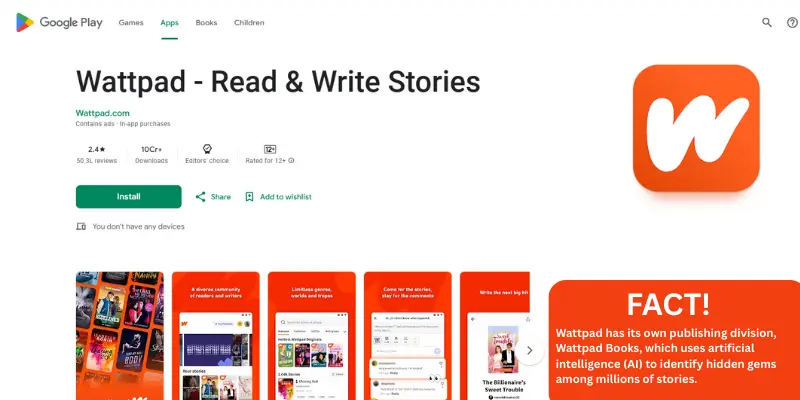
Getting started is straightforward, with the app available on major stores.
For Android Users (Step-by-Step)
- Open the Google Play Store on your device.
- Search for "Wattpad" and select the official app by Wattpad.com.
- Tap "Install" and wait for the download.
- Open the app and grant necessary permissions (e.g., storage for offline reading).
- Ensure your device runs Android 8.0 or higher.
For iOS Users (Step-by-Step)
- Launch the App Store on your iPhone or iPad.
- Search for "Wattpad – Read & Write Stories."
- Tap "Get" and authenticate with Face ID or password.
- Once installed, open and allow notifications for updates.
- Requires iOS 15.0 or later.
System Requirements
| Platform | Minimum OS Version | Other Requirements |
|---|---|---|
| Android | 8.0 (Oreo) | 100MB free space, internet for initial setup |
| iOS | 15.0 | Compatible with iPhone, iPad, iPod touch |
How to Create and Log in to a Wattpad Account
Creating an account unlocks full features. Options include:
- Social Logins: Use Google or Facebook for instant setup.
- Email Signup: Enter your email, choose a username, and set a password.
For readers, customize your profile with a bio and favorite genres. Writers might add a profile picture and links to social media. Best practices include using a strong password and enabling two-factor authentication. If you forget credentials, use the "Forgot Password" link for recovery via email.
Key Features of the Wattpad App (In-Depth)
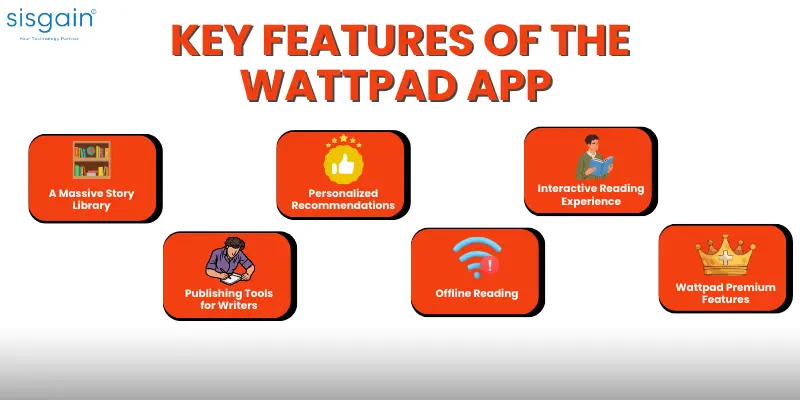
A Massive Story Library
Dive into over 50 genres, from thrilling mysteries to heartfelt romances, with stories in multiple languages.
Personalized Recommendations
AI algorithms suggest stories based on your reading history—think of it as Netflix for books. (For more on AI in apps, check out artificial intelligence apps.)
Interactive Reading Experience
Engage by commenting on paragraphs, voting to boost stories, and following authors for updates.
Publishing Tools for Writers
Format text with bold, italics, and images; edit drafts and schedule chapter releases.
Offline Reading
Download stories for access without Wi-Fi, perfect for travel.
Wattpad Premium Features
Go ad-free and unlock exclusives.
| Feature | Free Version | Premium/Premium+ |
|---|---|---|
| Ads | Frequent | None |
| Offline Stories | Limited | Unlimited |
| Exclusive Content | Basic access | Early + bonus coins |
| Themes | Standard | Custom premium |
How to Read Stories on Wattpad (Step-by-Step Guide)
- Search by genre, keyword, or author via the discover tab.
- Add to your library or create reading lists for organization.
- Read chapters, rate with stars, comment, and share feedback to support creators.
How to Write and Publish Stories on Wattpad
Getting Started as a Writer
Use the mobile editor for quick drafts or web for detailed work.
Publishing Step-by-Step
- Create a new story, add title and description.
- Upload chapters, tag genres, and publish.
- Edit anytime via the story management tool.
Growing Your Audience
Post consistently, respond to comments, and follow trends like popular tropes.
Monetization Opportunities
Join Wattpad Paid Stories for earnings, or aim for book deals/adaptations.
Wattpad Community and Social Interaction
Join forums, clubs, and collaborations to network. Build fans by hosting Q&As and cross-promoting.
Wattpad App for Aspiring Authors: Can It Help You Get Discovered?
Yes, with examples like Ali Novak's "My Life with the Walter Boys" becoming a Netflix hit. Publishers scout via reads and votes—optimize with eye-catching covers and SEO tags.
Safety, Privacy & Parental Controls on Wattpad
Stories are rated (e.g., mature for 17+). Privacy settings control visibility; report violations. Parents can monitor via shared accounts.
Wattpad Premium Plans Explained
Premium ($4.99/mo) offers ad-free reading and unlimited offline. Premium+ ($7.49/mo) adds monthly bonus coins for originals.
Common Issues and Troubleshooting
For login issues, clear cache; app crashes? Update OS. Contact support via help center.
Alternatives to Wattpad (Comparison Table)
| App/Platform | Pros | Cons | Best For |
|---|---|---|---|
| Inkitt | Data-driven publishing, free | Smaller community | Aspiring novelists |
| Radish | Serialized fiction, monetization | Paywalls heavy | Romance fans |
| Webnovel | Global stories, contests | Ad-intensive | Fantasy writers |
| AO3 | Fanfiction focus, no ads | Less polished interface | Fan communities |
| Dreame | Quick reads, earnings | Content quality varies | Short story enthusiasts |
How Wattpad Inspires App Development in Dubai
In Dubai's thriving tech scene, Wattpad's model influences local innovation. Take SISGAIN, a leading mobile app development company specializing in storytelling apps. They craft custom solutions incorporating AI for recommendations and UX for seamless reading, much like Wattpad. In mobile app development Abu Dhabi, similar trends emerge, with firms using AI and interactive features to build engaging platforms. This case study shows how global apps like Wattpad drive regional growth in creative tech.

Final Thoughts: Is Wattpad Worth It?
Wattpad excels in accessibility and community but may overwhelm with ads or uneven quality. Ideal for teens and young adults exploring creativity—try it free to see if it sparks your
story.
Read More Insights & Updates
- Everything You Should Know About Botim Before The End of 2025
- 10 Best Agencies for Mobile Application Development in Abu Dhabi
- 20 Best Artificial Intelligence Apps
- Top 20 Dating Apps in Dubai – Connect, Match, and Find Love in UAE
- Must-Have Features in Hospital Mobile Apps to Supercharge Patient Engagement
- 2025 Mobile Health App Development Guide for Startups