
Quick answer: To choose an LMS, start with the training problem you need to solve, then split requirements into must-have, should-have and nice-to-have. Test full Arabic right-to-left (RTL) support, check data protection and security against UAE PDPL, confirm your integrations, calculate total cost of ownership, and give every shortlisted vendor the same demo scenario. In the UAE, language support, audit-ready records and mobile access usually decide the winner.
Introduction
Picture a fast-growing company in Dubai. Safety induction lives in a PowerPoint on someone’s laptop. Product training is a WhatsApp group with 300 members. Compliance quizzes sit in a spreadsheet that three people edit. Then an auditor asks a simple question: who completed mandatory training this year, and can you prove it?
If that sounds familiar, you haven’t failed. You’ve just outgrown ad hoc training. The usual fix is a learning management system (LMS), but choosing one is where many UAE businesses stumble. They buy on a polished demo and a low price, then discover the Arabic interface is only half translated, the reports can’t satisfy an audit, or the platform won’t connect to the HR system.
This guide gives you an 8-step selection framework, a practical checklist and the UAE-specific criteria that generic buying guides skip. And if you later decide a tailored platform makes more sense, our team also delivers education software development in Dubai. The framework works whichever route you take.
Why Choosing the Right LMS Matters
More than a course library
An LMS is not a folder of videos. A good one centralises course delivery, assessments, certification, reporting, skills tracking and integrations with your HR and business systems. If you want the technical side explained, our guide on how LMS development works is a good companion read.
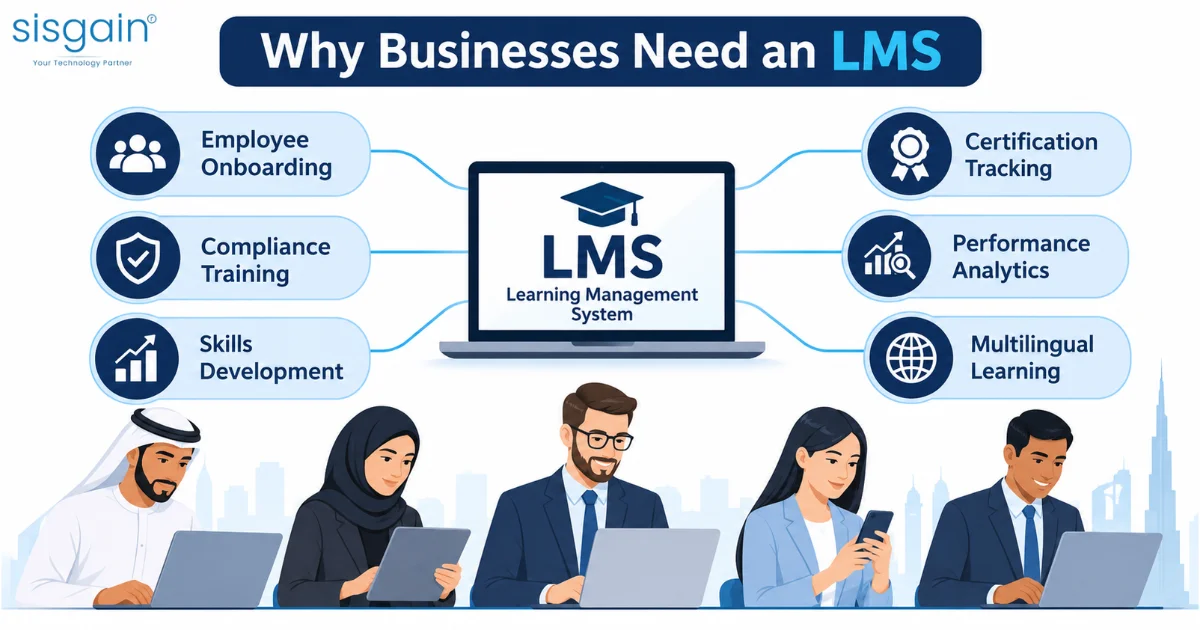
What UAE businesses typically need it for
- Onboarding distributed, multicultural teams across several emirates
- Mandatory compliance and health and safety training
- Customer-service and product-knowledge training
- Leadership programmes and Emirati talent development (see our piece on Emiratisation HR software)
- Tracking completion, scores, certificates and skill gaps
- Serving Arabic and English learners on both desktop and mobile
Get the choice right and training becomes measurable. Get it wrong and you pay twice: once for the platform, and again to replace it.
Step 1: Define the Business Problem
Before you open a single vendor website, write down what the LMS must fix. Four questions do most of the work:
- What is training costing you today? Think wasted time, repeat errors, failed audits or slow onboarding.
- Who needs training? Employees, managers, contractors, franchise staff, customers or partners.
- What must you measure? Completion, assessment scores, certificate expiry, competency progression or return on investment.
- What must it connect to? HRMS, payroll, performance tools, CRM, ERP or your identity provider.
Your answers shape everything that follows. Two quick examples:
|
Business type |
Likely top priority |
|
Hospitality group |
Multilingual onboarding, mobile access, fast rollout across properties |
|
Financial-services firm |
Audit trails, role-based access, secure handling of employee data |
|
Construction contractor |
Safety certification tracking, expiry reminders, low-bandwidth access |
Step 2: Build Your Requirements List
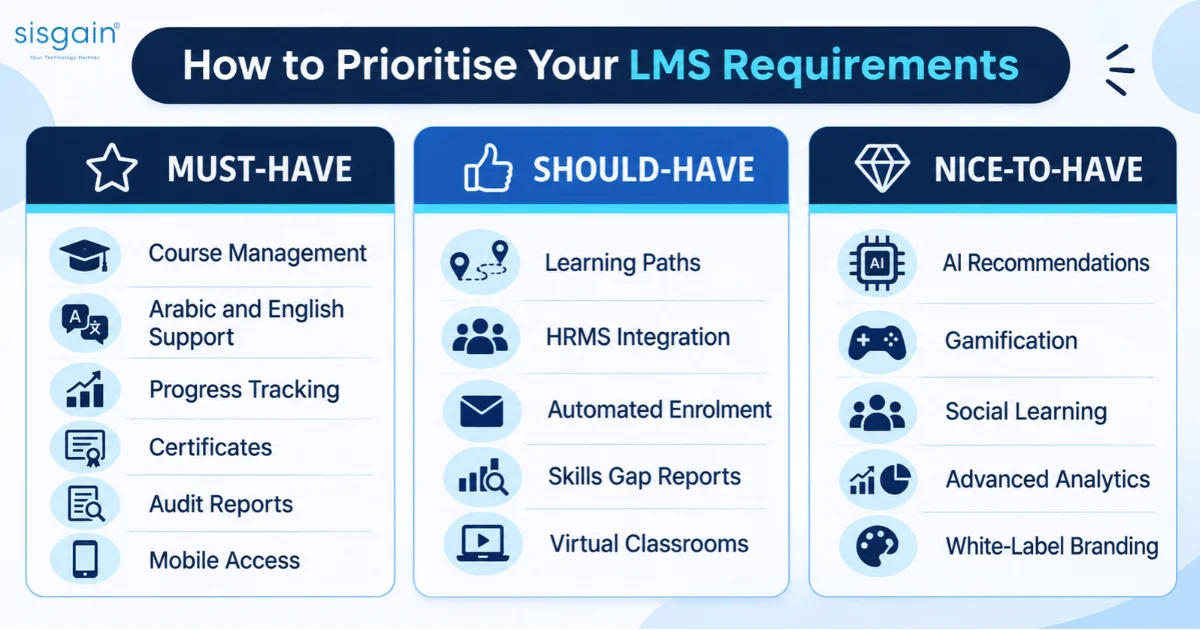
Split requirements into three tiers. This stops teams from choosing a platform because of one impressive but irrelevant feature.
|
Priority |
Examples |
Why it matters in the UAE |
|
Must-have |
Course creation and upload; SCORM, xAPI, video, PDF and quiz support; progress tracking; certificates with expiry and renewal reminders; role-based permissions; exportable audit logs; mobile access; Arabic and English support |
Compliance proof and a mixed-language workforce are non-negotiable |
|
Should-have |
Learning paths and prerequisites; live virtual classroom integration; automated enrolment rules; skills-gap reporting; HR system integration; offline or low-bandwidth learning |
Saves admin time and supports field teams |
|
Nice-to-have |
AI recommendations; gamification; social learning; marketplace content; advanced analytics; white-label branding |
Useful later, rarely worth paying more for on day one |
A good rule: if a feature isn’t tied to the problem from Step 1, it belongs in the nice-to-have column.
Step 3: Prioritise UAE Localisation
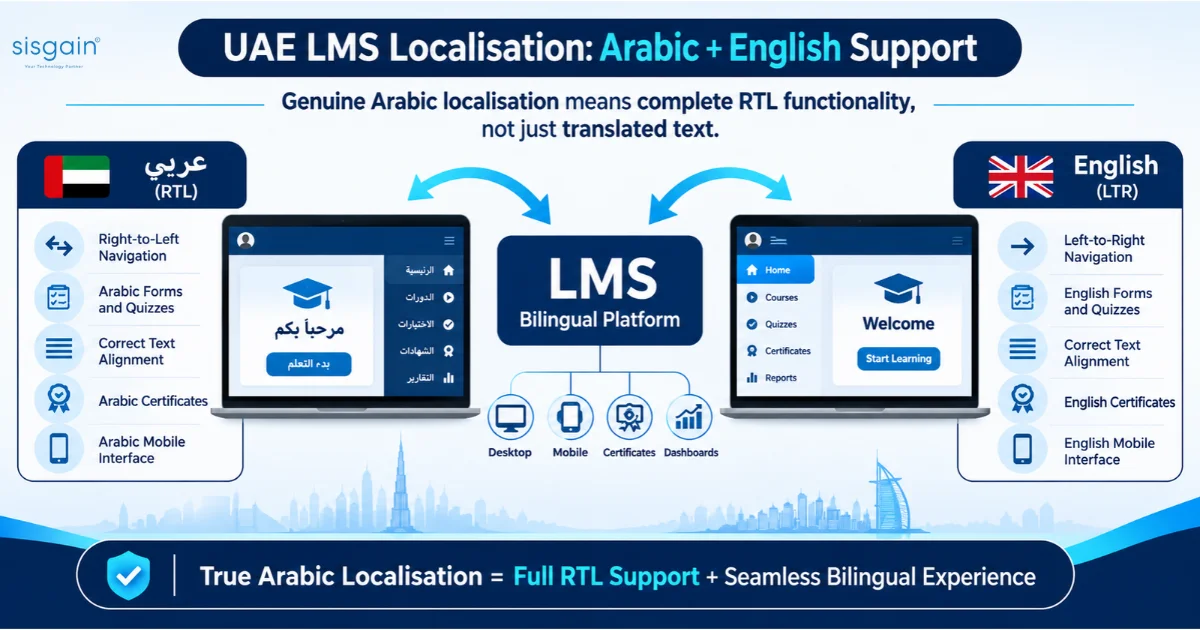
This is where UAE buyers get the most value from careful testing, and where many platforms fall short.
Arabic and English, done properly
Genuine Arabic support means the whole interface mirrors correctly in RTL, not just the course text. Test each of these:
|
Element |
What to check |
|
Navigation and menus |
Layout mirrors correctly in RTL |
|
Forms and quizzes |
Text direction, number formats and punctuation display correctly |
|
Reports and dashboards |
Arabic labels, correct alignment, exportable in Arabic |
|
Certificates |
Issued in Arabic and English with correct names |
|
Mobile app |
Same RTL quality as desktop |
|
Admin side |
Administrators can work in Arabic, not only learners |
We’ve seen buyers sign contracts on the strength of a translated login screen, then find the reports still render left to right. Ask for a live Arabic demo, not screenshots.
One course, many languages
Your workforce may include Emirati, Arab, South Asian, Filipino and European colleagues. The platform should deliver one course in several languages without duplicating licences or splitting learners into separate groups.
Local workforce realities
Shift workers, drivers, site crews and retail staff often don’t sit at desks. Mobile access, push notifications and, where connectivity is patchy, offline or low-bandwidth learning can decide whether training gets completed at all.
Cultural and regulatory fit
Check the platform can reflect your internal policies, sector rules and talent-development programmes, including Emiratisation-related development where it applies to you.
Step 4: Check Data Protection and Security
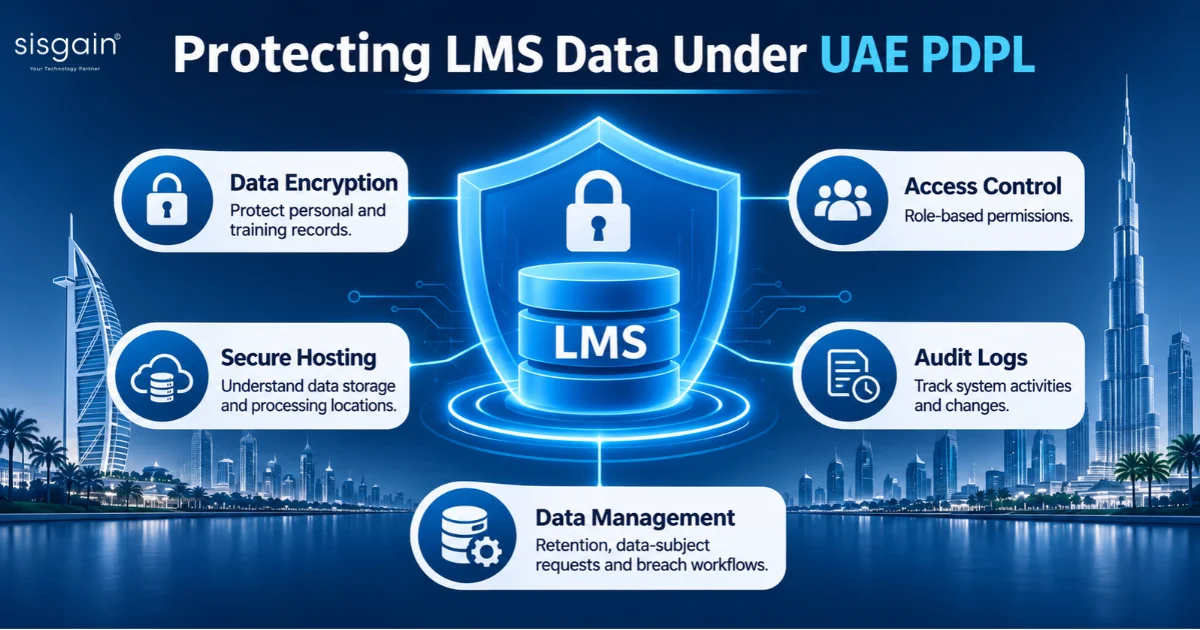
An LMS holds employee personal data, training records, assessment results and certificates. UAE businesses should assess how each vendor handles that data against the UAE Personal Data Protection Law (PDPL). Our guide on PDPL and mobile app security explains the principles in more depth.
Questions to put to every vendor
- Where is learner data hosted and processed?
- What encryption, access controls, backups and audit logs are included?
- Can the vendor support data-subject requests, retention rules and breach-notification workflows?
- Does the deployment model meet your obligations under PDPL?
- If you operate in or serve clients in DIFC or ADGM, which separate data-protection regimes also apply?
An important nuance
PDPL does not automatically require every LMS to be hosted inside the UAE. The right answer depends on your organisation, sector, data types and any free-zone rules. Treat it as a compliance and risk-assessment question, and take advice from your legal or compliance team before you finalise hosting.
Step 5: Evaluate Usability for Admins and Learners
A powerful LMS still fails if administrators struggle to manage it or employees avoid it. Check:
- Can an HR manager create a course without developer help?
- Can a learner find and start a course in about three clicks?
- Does mobile support video, quizzes, downloads and notifications?
- Can a non-technical manager understand the dashboards?
- Can admins bulk-enrol users, assign learning paths and pull reports quickly?
- Is the interface available in Arabic and English for both learners and administrators?
Then run a short hands-on pilot with five people: one Arabic-speaking learner, one English-speaking learner, one manager, one HR administrator and one IT stakeholder. Thirty minutes with real users will tell you more than a week of slide decks.
Step 6: Assess Integrations and Scalability
Your LMS should fit the systems you already run, not sit beside them as another silo.
What to connect
- HRMS or HRIS
- Single sign-on (SSO)
- Microsoft Teams, Zoom or other virtual-classroom tools
- Payroll and performance systems
- CRM, ERP or workforce-management tools
- Content-authoring tools and SCORM or xAPI content
- BI tools or a data warehouse
Ask vendors to show a working integration, not a promise. If your stack is complex, specialist software integration services in Dubai can help de-risk this step.
Will it scale?
Check user and storage limits, extra-language costs, API access and how pricing behaves as headcount grows. A UAE company often needs one platform that serves a multilingual, multi-site workforce, so the cost curve matters as much as today’s price.
Step 7: Understand the True Cost
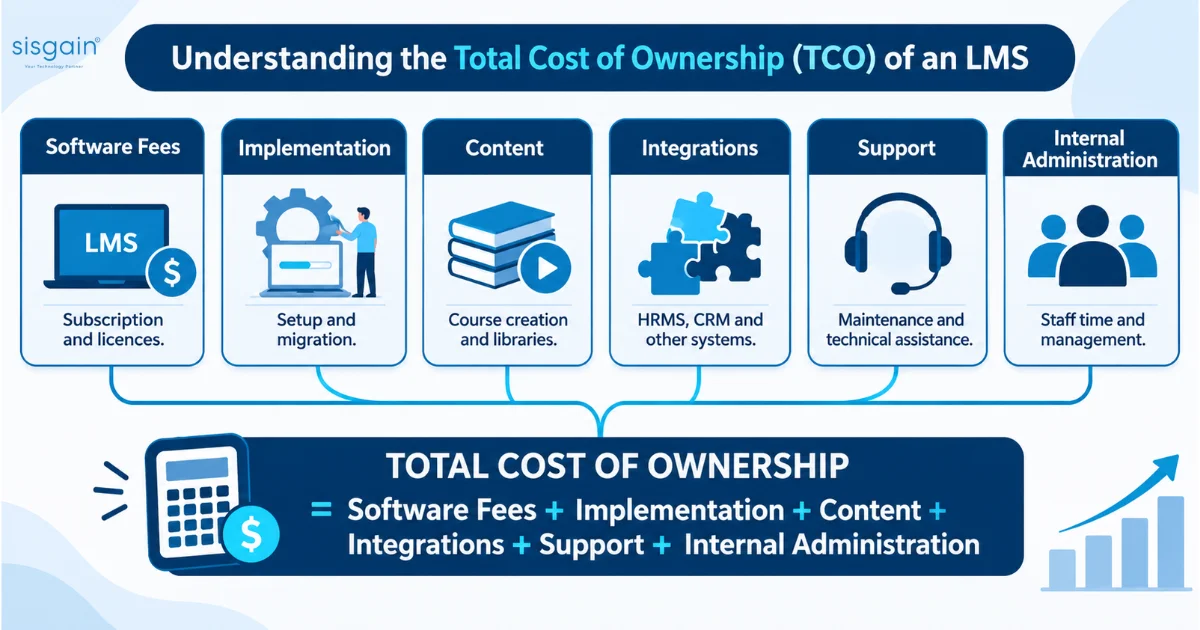
The monthly licence fee is the smallest part of the story. Use this formula:
Total cost of ownership = software fees + implementation + content + integrations + support + internal administration
|
Cost line |
What to ask |
|
Licence or subscription |
Per user, per active user or flat? What happens at renewal? |
|
Implementation and migration |
Is it included? Who moves existing content? |
|
Content |
Library fees, or the cost of building your own courses? |
|
Integrations and customisation |
Which are standard and which are billed separately? |
|
Support |
Is premium or Arabic-language support extra? What are response times? |
|
Add-ons |
Charges for extra storage, users, languages or API access? |
|
Internal admin time |
How many hours a week will your team spend running it? |
|
Switching later |
How easy is data export if you leave? |
Some UAE-oriented platforms advertise low per-user pricing. Verify exactly what that price includes, especially Arabic support, hosting location, integrations and enterprise reporting. When you compare quotes in AED, make sure every vendor is pricing the same scope. For a wider view of how software budgets break down, see our software cost breakdown in AED.
Step 8: Request Demos Using the Same Scenario
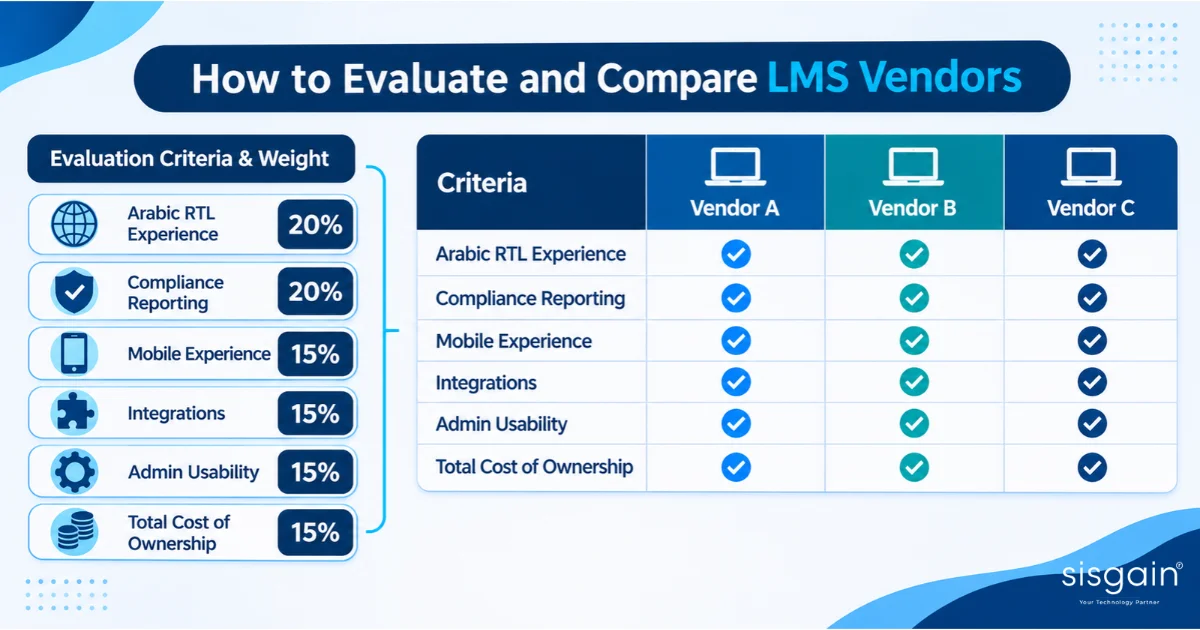
Generic vendor demos show the best of the product. A shared scenario shows the truth. Send every shortlisted vendor the same brief, for example:
- Enrol 200 employees across Dubai, Abu Dhabi and Sharjah.
- Assign an Arabic-English compliance course.
- Require a quiz with an 80% pass mark.
- Issue a certificate valid for 12 months.
- Send automatic renewal reminders.
- Export an audit-ready completion report.
- Show the manager dashboard and the mobile learner experience.
Then score each vendor on the same scale:
|
Criterion |
Weight |
Vendor A |
Vendor B |
Vendor C |
|
Arabic RTL experience |
20% |
|
|
|
|
Compliance reporting and audit export |
20% |
|
|
|
|
Mobile experience |
15% |
|
|
|
|
Integrations |
15% |
|
|
|
|
Admin usability |
15% |
|
|
|
|
Total cost of ownership |
15% |
|
|
|
A practical example: a retail chain onboarding seasonal staff before a peak sales period needs fast bulk enrolment, mobile access and Arabic, English and Hindi or Urdu content. A construction firm tracking site-safety certification needs expiry alerts and clean audit exports. Same framework, different weightings.
LMS Selection Checklist
Use this table as your shortlist filter. Score each area from 1 to 5.
|
Area |
Questions to ask |
Score (1–5) |
|
Business fit |
What problem are we solving? Who are the learners? Which metrics matter? |
|
|
Content |
Does it support SCORM, xAPI, video, PDFs, quizzes, surveys and learning paths? |
|
|
Localisation |
Is Arabic fully RTL? Can learners switch languages? Are certificates and reports localised? |
|
|
Mobile |
Does it work well on iOS and Android? Is there offline or low-bandwidth support? |
|
|
Compliance |
Can it track mandatory training, certificates, expiry dates and audit logs? |
|
|
Data protection |
Where is data hosted? What security, access-control, retention and breach processes exist? |
|
|
Integrations |
Does it connect with HRMS, SSO, Teams or Zoom, CRM, ERP and BI tools? |
|
|
Usability |
Can admins manage courses easily? Can learners find training quickly? |
|
|
Reporting |
Can managers see completion, scores, skill gaps and certification status? |
|
|
Cost |
What is included in the price? What are migration, integration, storage and support costs? |
|
|
Vendor support |
Is local or regional support available? What are response times? |
|
|
Scalability |
Can it handle more users, languages, locations and content without major cost jumps? |
|
Want an editable version? Download our free LMS requirements checklist and use it in your vendor meetings.
Off-the-Shelf or Custom LMS?
Most businesses should start by testing off-the-shelf platforms against the framework above. A custom build tends to make sense when:
- Your compliance workflows are highly specific to your sector.
- You need deep integration with internal systems that standard platforms can’t reach.
- Branding, white-label delivery or a unique learner journey is central to your business.
If none of these apply, a configurable ready-made platform is usually faster and cheaper. If one or more do, custom LMS and e-learning development is worth scoping against your TCO calculation.
Common Mistakes to Avoid
- Choosing the cheapest platform without costing implementation and content.
- Buying an enterprise suite when you only need core training delivery.
- Treating Arabic as an add-on instead of testing the full RTL experience.
- Ignoring mobile for frontline and field employees.
- Selecting before defining reporting and compliance needs, then discovering the gaps after signing.
- Skipping integration tests with HR, SSO and existing content.
- Leaving key people out. Involve IT, HR, L&D, legal or compliance, and real end users from the start.
Final Thoughts: Your Next Step
The right LMS is the one that fits your workforce, languages, compliance duties, systems and budget, not the one with the longest feature list. Define the problem, rank your requirements, test Arabic and mobile properly, check data protection, count the real cost, and make every vendor prove it in the same demo.
If you’d like a second pair of eyes, we’re happy to help. Book a free consultation and we’ll walk through your requirements checklist with you, whether you end up buying or building.