
Most student information system projects don’t fail because of bad code. They fail months earlier, when nobody stops to ask whether the institution should be building one at all.
I’ve spent 19 years in software, and the pattern repeats. A school or university decides its records are a mess, someone says “let’s build our own,” and eighteen months later the team is still arguing about transcript formats.
This guide covers what an SIS needs to do, when building makes sense, which compliance rules to scope first, and how to run the project in phases so it ships. My short answer: for most institutions, buy and configure. The exceptions are real, though, and I’ll show you where they are.
What a Student Information System Does, and Why Demand Keeps Growing
An SIS is the system of record for your institution. It knows who your students are, what they’re enrolled in, what they owe, what they’ve earned and who’s allowed to see all of it.
People often confuse it with a learning management system. They’re different tools. The LMS delivers courses, assignments and learning content. The SIS runs the institution around them. If you’re sorting out where one ends and the other begins, our breakdown of LMS features for schools is a useful companion read.
The market reflects how many institutions are rethinking this layer. MarketsandMarkets values the global SIS market at about USD 7.25 billion in 2025, growing to roughly USD 15.36 billion by 2031, a compound annual growth rate of 12.9%. Other analysts count differently. IMARC Group, for example, put the 2025 market at about USD 12.0 billion and projects USD 29.6 billion by 2034.
The numbers disagree because each firm draws the boundaries differently. What they agree on is direction: up, and steadily.
The drivers are familiar. Legacy systems are aging out. Parents expect mobile access. Leadership wants analytics instead of spreadsheets. And cloud delivery has made modern platforms reachable for institutions that couldn’t afford them a decade ago. For a wider view of where the sector is heading, see our overview of education technology trends for 2026–2027.
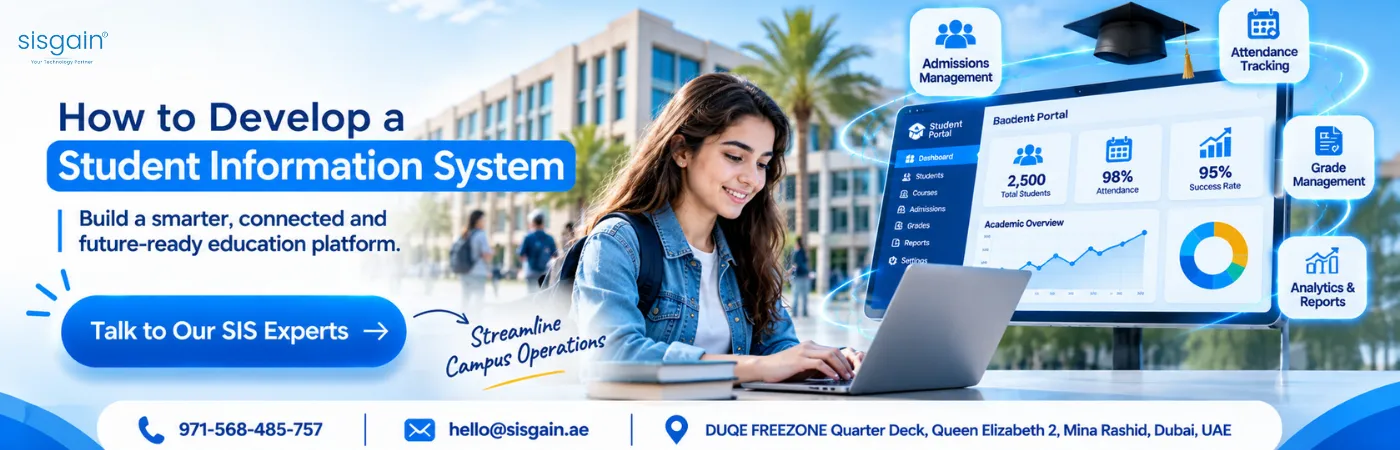
The Core Modules of a Complete SIS
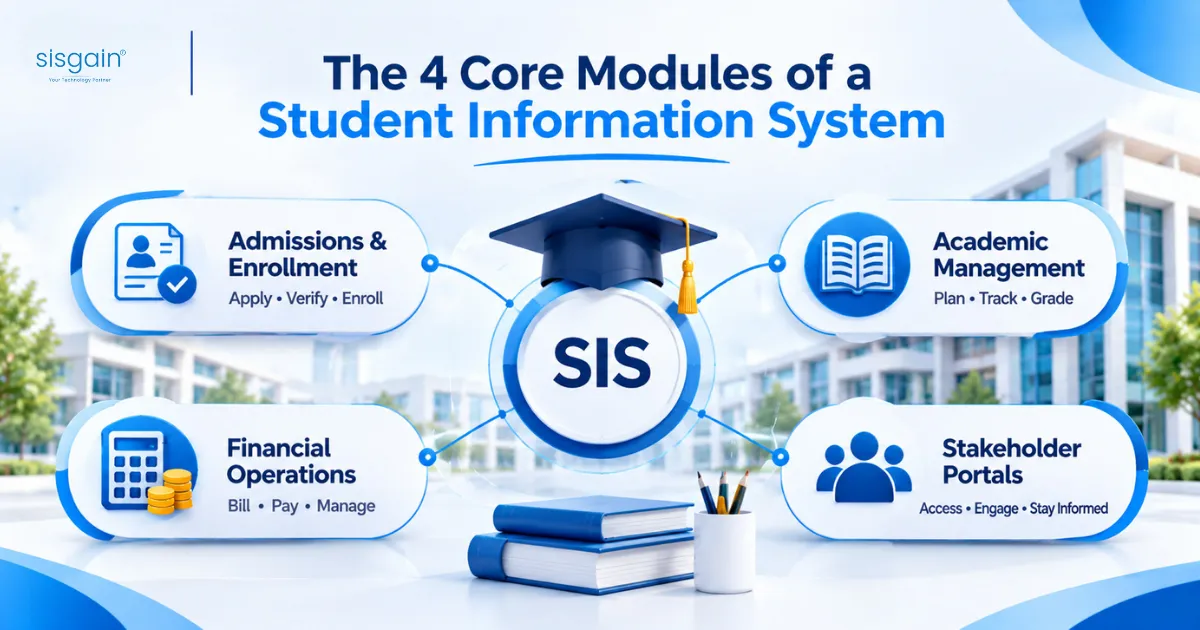
Whether you’re building or buying, you’re scoping the same four areas. Use them as your requirements checklist.
Admissions and Enrollment
This is the front door. A good module handles online applications, document upload and verification, onboarding workflows and demographic records.
Ask any vendor, or your own team, one question here: can an applicant track their status without phoning the office? If not, you’re building a bottleneck.
Academic Management
This is the engine room. It covers the course catalog, class scheduling, faculty assignments, attendance tracking, gradebooks and official transcripts.
It’s also where the data model gets hard. Terms, sections, prerequisites, grade scales and re-sits all interact. Get the model wrong and every report downstream is wrong too.
Financial Operations
Tuition billing, fee tracking, invoicing, scholarships and financial aid. Finance staff usually care about this module more than any other, because it’s where errors cost real money.
Check how it connects to your accounting system. A beautiful fee module that doesn’t reconcile with your ledger creates more work than it saves.
Stakeholder Portals
Role-based dashboards and mobile access for administrators, teachers, students and parents. Each group sees only what it should.
Parent engagement is where most institutions notice the difference. A single mobile view of attendance, grades and fees replaces a stack of phone calls.
Build vs. Buy: How to Decide
Here’s my honest position. For most institutions, buying and configuring a cloud SIS is the right call.
The reasons are practical. A vendor has already solved attendance rules, transcript formats and fee schedules across hundreds of customers. You’re paying for years of edge cases you’d otherwise discover the hard way.
Dimension | Custom Development (Build) | Off-the-Shelf SaaS (Buy) |
Upfront cost and timeline | High initial investment. In our experience, 6 to 18+ months to launch. | Lower upfront cost. Typically weeks to a few months to deploy. |
Customization | Fully tailored to your workflows. | Limited to vendor configuration and plugins. |
Maintenance and security | You own hosting, updates and compliance. | Vendor handles updates, backups and service levels. |
Scalability | Needs dedicated DevOps and architecture planning. | Scales with enrollment growth. |
When building is the right call
Three situations justify custom development:
- You’re an EdTech vendor. The SIS is your product, so you can’t rent it.
- You operate a multi-tenant platform. Serving many schools under one system needs architecture a single-institution product won’t give you.
- Your workflows are genuinely unusual. Not “we do things our way,” but processes that no product on the market can support.
That third one is where most teams fool themselves. Before you commit, list every workflow you think is unique. Then check each against two or three vendors. You’ll usually find that most of the list is standard.
The hybrid option
There’s a middle path that gets overlooked: buy the core and build only the layer that makes you different. The vendor handles records, billing and transcripts. You build on top through APIs.
If you’re weighing a similar decision on the learning side, our comparison of custom vs. off-the-shelf LMS in the UAE walks through the same trade-offs.
Two scenarios worth studying
The following are illustrative scenarios based on patterns we commonly see. Details are anonymized.
A multi-campus school group chooses to buy. The group ran admissions on spreadsheets, attendance on paper and fees in a separate accounting tool. Parents got different information depending on the campus. Leadership’s first instinct was a custom platform.
A requirements review changed that. Roughly nine in ten needs were standard: enrollment, attendance, gradebook, billing, parent portal. They bought a cloud SIS and configured it, launching admissions first and academics a term later.
The outcome was one student record across every campus and reporting available on demand instead of after days of manual consolidation. The lesson: when the workflow is standard, custom code is just expensive configuration. Spend that budget on migration and training instead.
A training institute goes hybrid. A vocational provider tracked competency-based assessments and employer-sponsored cohorts. None of the products it evaluated handled this cleanly.
It bought a standard SIS for records, billing and transcripts, then built a custom layer through APIs for competency tracking, employer reporting and a learner mobile app. The core stayed vendor-maintained. Only the differentiating 10% was custom.
If you’re unsure which side of the line you’re on, an independent assessment before you commit a budget is cheap insurance. That’s the kind of work our software development consulting team does.
Compliance and Data Privacy: Scope This First
Compliance shapes architecture. If you treat it as a final checkbox, you’ll rebuild things late and pay for it.
Student data is sensitive by nature. It includes minors’ records, family contact details, grades, health notes and financial information.
Regulators and laws to map
UAE education regulators. ADEK oversees education in Abu Dhabi and KHDA in Dubai. Each sets expectations for record-keeping and reporting. Confirm the current requirements directly with the authority that licenses your institution, because they change.
UAE Personal Data Protection Law. Federal Decree-Law No. 45 of 2021 has been in force since 2 January 2022 and covers personal data processing on the UAE mainland. DIFC and ADGM run their own data protection regimes. Several legal reviews report that the federal executive regulations have been slow to arrive, so check the official UAE legislation portal for the current position before you finalize your compliance plan. Either way, design to the core principles: lawful basis and consent, purpose limitation, data subject rights and breach handling.
GDPR. It applies if you enroll students who are EU residents or run programs that target the EU. Penalties can reach €20 million or 4% of global annual turnover, whichever is higher.
FERPA. This is a US law that protects student education records at institutions receiving US Department of Education funding. Relevant if you partner with US institutions or programs.
What this means for your design
- Role-based access, so a teacher sees their own classes and nothing else.
- Audit logs that record who viewed or changed a student record.
- Clear retention and deletion rules.
- Parental consent flows for minors.
- Encryption in transit and at rest.
Security doesn’t stop at the web app. If parents and students will use mobile apps, read our guide to mobile app security and PDPL compliance before you finalize that portal.
Architecture and Tech Stack for a Custom SIS
If you’re going the custom route, make a few decisions early. They’re hard to reverse.
Database
Use a relational database. PostgreSQL is a solid choice. Students, courses, terms, sections, enrollments and grades have many-to-many relationships, and relational design handles them cleanly.
Spend real time on the schema. Model terms, enrollments and grade history carefully. A grade changed after publication needs an audit trail, not an overwrite.
Backend
A modular backend lets you build and release one module at a time. Node.js, Python with Django, and .NET are all reasonable. “Modular” here means admissions, academics and finance are separate components with clear boundaries, not one tangled codebase.
Frontend
React or Angular both work for a responsive web interface. Design the parent portal mobile-first, since that’s where most parents will use it.
APIs and integrations
Build RESTful or GraphQL APIs from the start. Your SIS will connect to a learning management system such as Canvas or Moodle, an accounting ERP, and payment gateways. Integration effort is a major driver of project size, and it’s often underestimated. Our API development services cover exactly this kind of work.
A case where building was right
Illustrative scenario, anonymized.
An EdTech company wanted to offer an SIS to many small schools under its own brand. Each school needed its own branding, roles and strictly separated data, all on one platform.
This is one of the few cases where building makes sense, because the SIS is the product. The team designed a multi-tenant architecture on day one, with tenant-level data isolation and an API-first approach. New schools could then be onboarded through configuration rather than separate deployments.
The up-front architecture work was heavier. It also avoided the rewrite that teams face when they bolt multi-tenancy on later. The lesson: if you’re selling the platform, multi-tenancy is an architecture decision, not a feature.
A Phased Development Roadmap
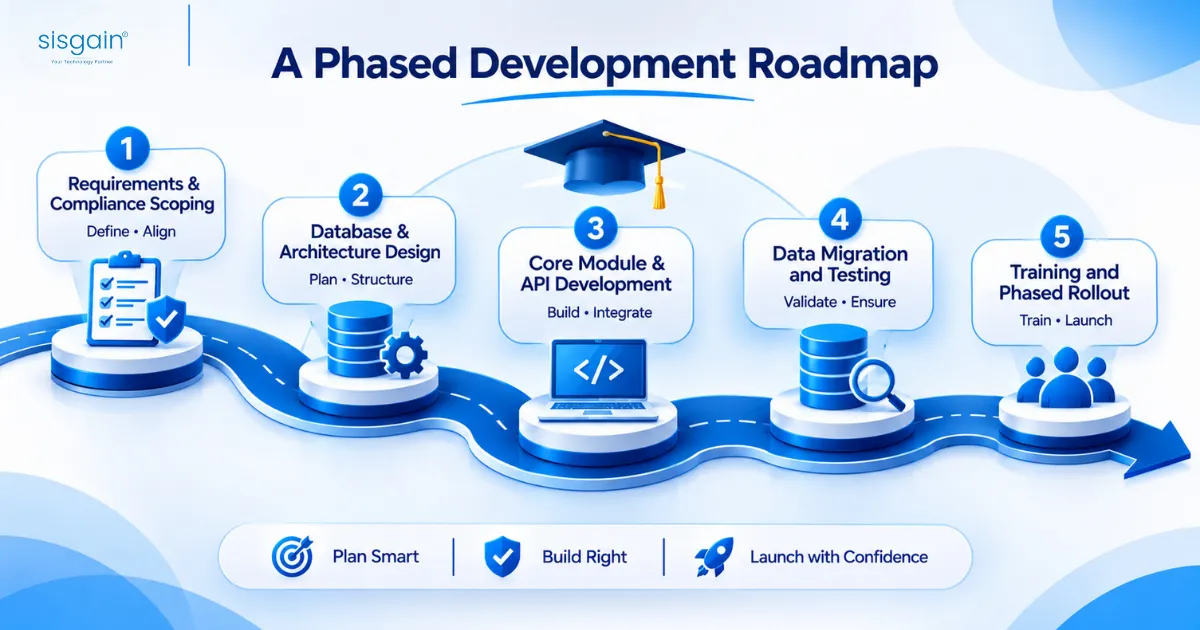
If you proceed with custom development, follow a structured lifecycle. Here’s the sequence I recommend.
1. Requirements and compliance scoping
Define your user roles: administrator, faculty, student, parent. Write down what each can see and do. Map the regulatory requirements from the section above. Skipping this step is the single most expensive shortcut.
2. Database and architecture design
Design the schema and the module boundaries. Agree on your integration points before anyone writes feature code.
3. Core module and API development
Build the core modules alongside the APIs. Resist the urge to build everything. Start with a minimum viable product covering the modules that matter most, then expand. Admissions is usually the right first module because it’s contained and delivers visible value fast.
4. Data migration and testing
This is where timelines slip. Legacy records are rarely clean. Expect duplicate students, inconsistent grade formats and missing term data.
Clean the records, run test migrations, and then run user acceptance testing with the people who’ll use the system daily: registrars, finance staff and teachers. If you’re moving off an aging platform, our piece on modernizing legacy systems explains how to approach the transition.
Illustrative scenario, anonymized. A university-level institution went live after only a light data review. Within weeks, duplicate records and inconsistent grade formats surfaced, and staff lost trust in the system. The team paused the rollout, ran a structured cleansing exercise, repeated the test migrations and brought registrars into testing. The second launch went far more smoothly.
Most SIS projects fail on data, not code. Treat migration as its own workstream with its own owner.
5. Training and phased rollout
Train staff on the workflows they’ll actually use. Then launch in phases, for example admissions first and grading in a later term. A phased launch limits the blast radius when something goes wrong, and something always does.
Mistakes I See Repeatedly
Building before ruling out buying. It feels more ambitious. It’s usually slower and more expensive.
Underestimating data cleanup. The software is the visible part. The data is where the work hides.
Skipping real-world testing. A system that passes engineering tests can still fail a registrar on the first day of enrollment. Rigorous QA and testing services with real users catch what developers miss.
Launching every module at once. Big-bang launches turn small bugs into institution-wide problems.
Where to Go from Here
The decision comes down to a few honest questions. Are your workflows truly unusual? Is the SIS your product or your plumbing? Do you have the engineering capacity to own hosting, security and compliance for years, not months?
If the answers point to buying, buy well and invest the savings in migration and training. If they point to building, scope compliance first, model your data carefully and ship in phases. If you land somewhere in between, go hybrid.
If you’re planning an SIS and want a second opinion on the build-or-buy call, our education software development company in Dubai team can review your requirements. You can also talk to our team directly.