
Schools, universities, training providers and businesses all run on learning. Yet in many organizations that learning is scattered across spreadsheets, shared folders, email threads, video links and paper certificates. Course materials live in one place, attendance in another, and assessment results somewhere else entirely.
If you are asking "what is LMS software, and do we need one?", the short answer is that a learning management system is a centralized platform that lets organizations create, deliver, organize and track learning programs. It gives learners, instructors and administrators a single environment to work in. For schools, universities, training providers and corporate learning teams in Dubai, that kind of structure is increasingly important. This guide explains how an LMS works, its core modules, its benefits, and what to consider when choosing a platform.
Quick Answer: What Is an LMS?
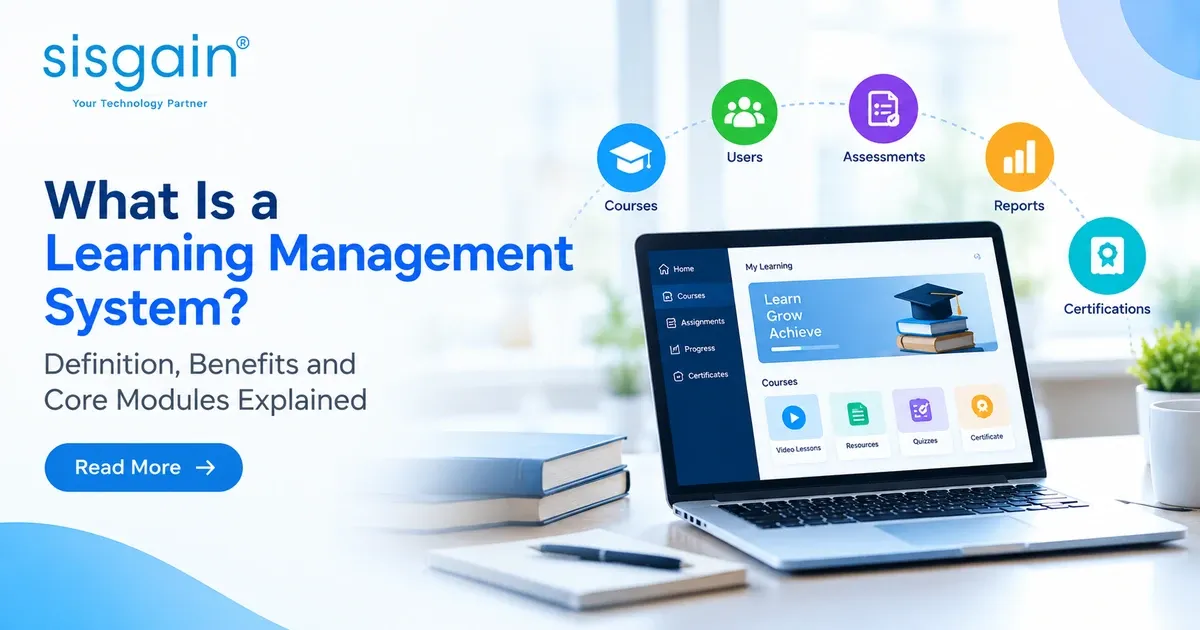
A Learning Management System (LMS) is a digital platform used to create, deliver, manage and track educational or professional training programs. It centralizes learning content, learner enrollment, assessments, progress reports and certifications, helping schools and businesses manage learning activities and measure outcomes from one system.
What Is a Learning Management System (LMS)?
A learning management system is software that sits between learning content and the people who need it. Think of it as the operating layer for training and education: it holds the courses, knows who should take them, delivers them, checks understanding and records the results.
The term is easiest to understand when you break it down.
What Does LMS Stand For?
LMS stands for Learning Management System. Each word matters:
- Learning: the lessons, courses, videos, documents and assessments people use to build knowledge or skills.
- Management: the administration around that learning, such as enrollment, scheduling, permissions, tracking and reporting.
- System: the software platform that connects all of it in one place.
It is worth separating the platform from the content. An LMS is not the course itself. It is the environment that stores, delivers and tracks the course, much as a library building is distinct from the books inside it.
What Does an LMS Do?
An LMS supports the complete learning lifecycle:
- Course creation and content organization
- User registration and enrollment
- Lesson delivery and learning paths
- Assessments, grading and feedback
- Progress tracking and reporting
- Certificates and completion records
Consider a training institute in Dubai. Without an LMS, staff might maintain a separate spreadsheet for every course, email materials individually and issue certificates manually. With an LMS, the institute uploads courses once, enrolls learners, runs online assessments and issues certificates from the same platform. That is the practical heart of any LMS definition: fewer disconnected tools and a clearer record of who learned what.
How Does an LMS Work?
An LMS works by connecting content, learners and data in a repeatable cycle. Administrators or instructors set up learning, learners complete it, and the system records what happens so that improvements can follow. In practice, the process usually looks like this:
- Create learning content. Administrators or instructors upload lessons, videos, documents and assessments.
- Enroll learners. Users are assigned courses according to their class, department, role or learning needs.
- Deliver learning. Learners access lessons, complete activities, attend virtual sessions and submit assessments.
- Track progress. The LMS records participation, scores, completion and certification eligibility.
- Improve outcomes. Instructors and managers use reports to identify learning gaps and refine programs.
Most platforms separate two experiences. The learner-facing side covers dashboards, course access, quizzes and certificates. The administrator-facing side covers user management, course setup, permissions, reporting and system configuration.
Automation can support many of these steps, including enrollment, reminders, grading, certificate generation and reporting, depending on how the platform is configured.
What Are the Core Modules of an LMS?
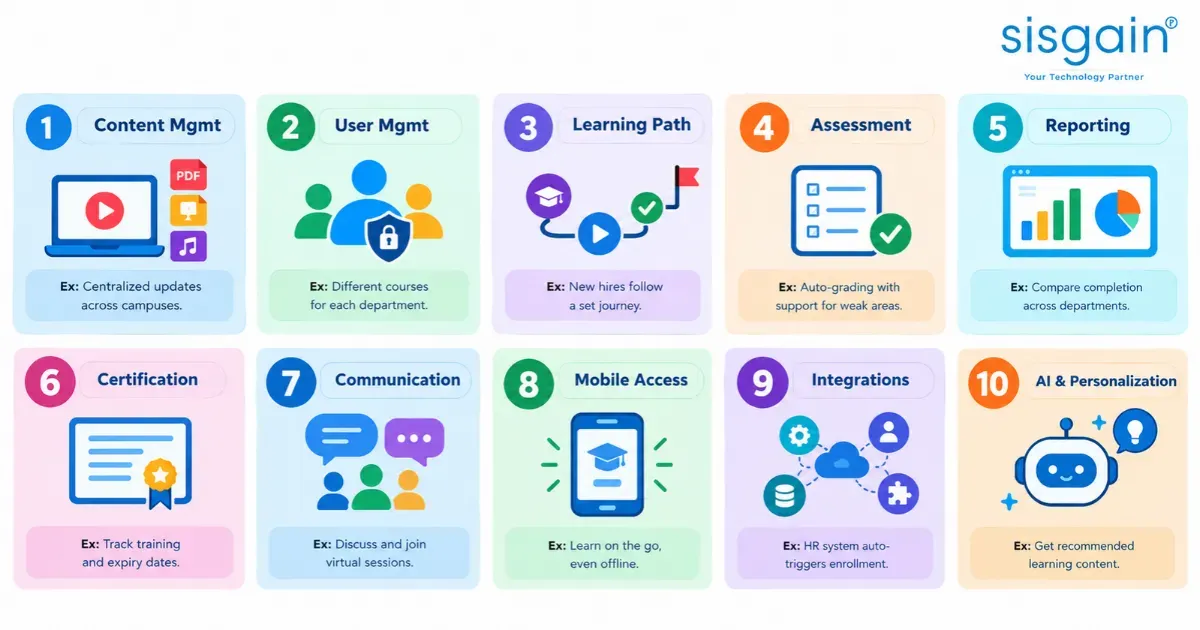
An LMS is made up of modules, each handling a different part of the learning process. Not every platform includes every module, and quality varies, so understanding these building blocks is the best way to evaluate any system. Here are the ten most important.
1. Course and Content Management Module
This module organizes and delivers learning materials. It supports video, PDF, presentation, audio and interactive content, structured into courses, lessons, chapters and learning paths. It also handles content updates and version management, and many platforms support e-learning standards such as SCORM where required.
Example: A multi-campus school in Dubai updates its digital resources centrally instead of sending revised files to every campus.
2. User and Role Management Module
This module controls who can see and do what. It manages learner, teacher, instructor, manager, parent and administrator accounts with role-based permissions. Users can be grouped by department, grade, branch or location, and many platforms support bulk enrollment and single sign-on.
Example: An enterprise assigns different courses to its HR team, sales department and field employees.
3. Learning Path and Curriculum Management Module
Learning paths turn individual courses into journeys. This module handles mandatory and optional courses, prerequisites, completion rules and sequential programs, and can assign learning based on role or performance.
Example: New employees complete company induction, cybersecurity awareness, job-specific training and a final assessment in a defined order.
4. Assessment and Testing Module
This module measures understanding through quizzes, examinations, assignments and surveys. Question banks and automated grading save time, while pass marks, retakes and feedback keep the process fair and consistent. Assessment history also feeds certification eligibility.
Example: A training provider automatically grades objective questions and flags learners who need additional support.
5. Tracking, Reporting and Analytics Module
Reporting shows what is actually happening. It covers enrollment and completion rates, assessment results, attendance and engagement, with views at department, campus and cohort level. These reports help identify learning gaps.
Example: An L&D manager compares mandatory training completion across departments and follows up with employees who have outstanding courses.
A note of caution: an LMS does not automatically prove business ROI. The quality of outcome measurement depends on the metrics you collect and how you interpret them.
6. Certification and Compliance Management Module
This module generates certificates automatically and maintains completion records, expiry dates, renewal reminders and audit trails for mandatory training.
Example: A Dubai company tracks employee completion of internal policy and safety training through centralized records.
An LMS can support compliance documentation, but it does not by itself guarantee regulatory compliance. That still depends on the organization's policies and processes.
7. Communication and Collaboration Module
Learning works better when people can interact. This module includes announcements, course notifications, discussion forums, peer learning, instructor feedback and messaging, often with integrations for email and virtual-classroom tools.
Example: Students submit assignments and receive teacher feedback while joining scheduled virtual sessions.
8. Mobile Learning and Accessibility Module
Learners increasingly expect to study on their phones. This module covers responsive interfaces or dedicated mobile apps, notifications, progress tracking and, where supported, offline learning. Accessibility features such as keyboard navigation and captions make learning usable for more people.
Example: Employees working across different locations open assigned learning materials on their phones.
Organizations that want a branded, dedicated learning app may work with mobile app developers in Dubai to build one around their LMS.
9. Integrations and API Module
APIs let different software systems exchange information. A well-integrated LMS can connect with Student Information Systems (SIS), HR systems (HRMS/HRIS), video-conferencing platforms, CRM, payment and business intelligence tools, plus single sign-on and identity management.
Example: An HR system triggers LMS enrollment automatically when a new employee joins the company.
10. AI and Personalization Module
AI is an optional capability, not a requirement for every LMS. Where it is useful, it can power course recommendations, adaptive learning paths, AI-assisted quiz or content creation, early identification of learners who may need help, and conversational learning assistants.
Example: A learner receives recommended revision material after struggling with a particular assessment topic.
Conversational assistants are one area where AI Agent Development solutions can come into play, and organizations planning broader AI integration may want to speak with ai development companies about scope and feasibility. The key is to add AI only when it supports clearly defined learning goals.
What Are the Key Benefits of an LMS?
The benefits of an LMS depend on your organization's goals, how well people adopt the platform and how it is configured. Used well, the common advantages look like this:
|
Benefit |
Practical impact |
Dubai example |
|
Centralized learning |
Keeps content and records in one place |
A school group manages resources across campuses |
|
Reduced administration |
Automates repetitive tasks |
HR teams automate enrollment and reminders |
|
Consistent delivery |
Standardizes approved learning materials |
Employees across branches receive the same induction |
|
Measurable progress |
Makes completion and assessment data visible |
Managers identify departments with training gaps |
|
Flexible access |
Supports online and blended learning |
Learners access courses from home, campus or work |
|
Scalability |
Supports additional users and courses |
A training provider expands across the UAE |
|
Personalized learning |
Helps tailor courses to learner needs |
Employees follow role-specific development paths |
|
Better recordkeeping |
Maintains completion and certification history |
Organizations track recurring training requirements |
How an LMS Improves Learning and Operational Efficiency
It helps to distinguish activity metrics from meaningful outcomes:
- Course completion is an activity metric. It shows people finished something.
- Improved assessment scores may indicate stronger knowledge.
- Reduced manual administration can indicate operational efficiency.
- Improved job performance requires evidence beyond LMS activity alone, such as manager observations or business results.
An LMS makes this data easier to collect, but it is your measurement approach that turns data into insight.
How Is an LMS Used in Schools and Universities in Dubai?
In education, an LMS gives teachers and students a shared digital space for teaching, practice and feedback. Typical use cases include:
- Digital lessons, recorded lectures and course resources
- Homework, quizzes, assignments and teacher feedback
- Academic progress tracking and reporting
- Parent communication, where supported
- Blended learning and teacher development
- Multi-campus content and curriculum management
In Dubai's education sector, the goal should be better teaching quality and learning outcomes, not simply digitizing existing classroom processes. A platform that only moves paper worksheets onto a screen adds little. One that helps teachers see who is struggling and respond sooner adds a great deal.
Institutions comparing options can explore a dedicated Learning Management System for UAE schools, and those planning wider digital products can look at Education App Development Services.
How Do Businesses Use an LMS for Corporate Training?
Corporate teams use an LMS to deliver consistent training to people in different roles and locations. Common applications include:
- Employee onboarding and induction
- Compliance and internal policy training
- Sales and product training
- Technical upskilling and leadership development
- Partner, franchise and customer education
- Skills-gap analysis and training reports
Consider a Dubai-based company with office-based and field-based employees. It can use role-specific learning paths, automated reminders and completion reports to coordinate onboarding across teams, so every new joiner follows the right sequence without HR chasing each one manually.
For the UAE market, practical requirements often include Arabic-English content, mobile access, role-based permissions and integrations with HR systems. Ongoing technical support, infrastructure and maintenance also matter once the platform is live, and some organizations rely on an IT Support company for that.
What Are the Different Types of LMS Platforms?
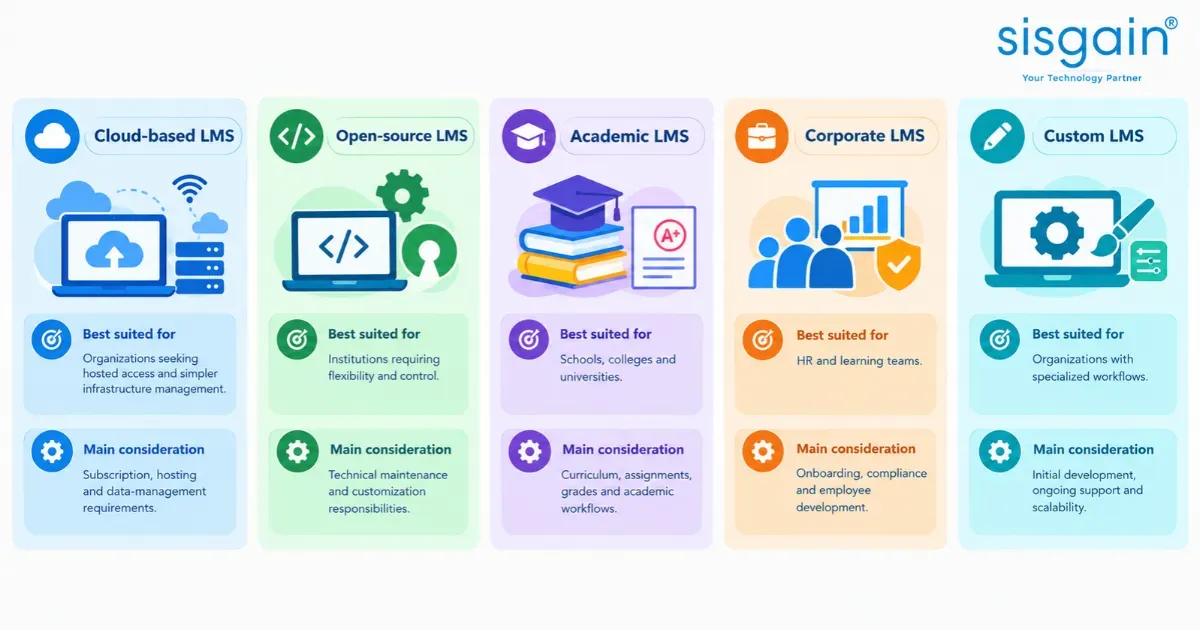
LMS platforms come in several forms, and the categories overlap.
|
LMS type |
Best suited for |
Main consideration |
|
Cloud-based LMS |
Organizations seeking hosted access and simpler infrastructure management |
Subscription, hosting and data-management requirements |
|
Open-source LMS |
Institutions requiring flexibility and control |
Technical maintenance and customization responsibilities |
|
Academic LMS |
Schools, colleges and universities |
Curriculum, assignments, grades and academic workflows |
|
Corporate LMS |
HR and learning teams |
Onboarding, compliance and employee development |
|
Custom LMS |
Organizations with specialized workflows |
Initial development, ongoing support and scalability |
A custom LMS may be cloud-hosted, and an open-source LMS may be configured for academic or corporate use. Established platforms such as Moodle are examples of the open-source category; mentioning them here is not an official UAE recommendation or approval.
When Should an Organization Consider a Custom LMS?
Customization may be appropriate when you have:
- Complex learning workflows
- Specialized branding or user experiences
- Multiple third-party integrations
- Specific reporting requirements
- Unique learner roles and permissions
- A need for greater control over product development
Custom development is not automatically better than an existing LMS. The right choice depends on your requirements, budget, technical resources and long-term plans. If your needs are specialized, LMS development services can help you assess whether a tailored platform makes sense.
LMS vs. LXP vs. Course Website: What Is the Difference?
These three are often confused, but they serve different purposes.
|
Platform |
Primary purpose |
Typical use case |
|
LMS |
Organizes, delivers and tracks structured learning |
Mandatory employee training |
|
LXP |
Emphasizes personalized discovery and learner-led development |
Discovering courses for career growth |
|
Course website |
Publishes or sells learning products |
Selling an individual online course |
The categories can overlap, and some platforms combine LMS and LXP capabilities. As a rule, an LMS is the better fit when an organization needs structured enrollment, assessments, completion tracking, certification and reporting.
What Should Organizations in Dubai Consider When Choosing an LMS?
The best LMS is the one that fits your learners, your workflows and your local context. These are the factors worth checking first.
Arabic and English Language Support
Check whether the platform supports the languages you need across interfaces, content, notifications and assessments, not just translated course material. Right-to-left layout and bilingual reporting can make a real difference to usability.
Mobile and Hybrid Learning
Decide whether learners need a responsive website, a dedicated app, offline access or integration with live virtual classrooms. Match the choice to how your people actually learn.
Data Privacy and Security
Evaluate authentication, role-based access, encryption, data retention and backup procedures, along with applicable UAE data-protection requirements. Regulatory obligations are not identical for every organization; they depend on your activities, location and data-processing arrangements, so confirm your own position with qualified advisers.
Integrations and Scalability
Confirm compatibility with your existing SIS, HRMS, communication tools and reporting systems. Consider expected learner growth and what it will cost to add functionality later.
Reporting and Measurable Outcomes
Decide which metrics matter most: academic progress, employee capability, completion rates, certification status or reduced administrative effort. Choosing a platform without this clarity often leads to impressive dashboards that answer the wrong questions.
Conclusion: Choosing the Right LMS for Your Organization
An LMS is more than a digital content library. It brings together course delivery, learner management, assessments, reporting and ongoing learning administration in one place. The right platform depends on whether you serve students, employees or external learners, and on your integration, language, security, scalability and reporting needs.
Looking to build a learning platform tailored to your organization's requirements? Explore our LMS development services in Dubai to understand how a customized learning management system can support your training workflows, integrations and long-term growth.